Your Controller Is Fine — Your Desk Is the Problem
Let's be honest for a second. You've probably spent more time researching thumbstick tension than you have thinking about where your elbows sit when you're deep into a ranked match. And that's kind of wild, because the biomechanics of your entire upper body are doing a lot of heavy lifting — literally — every time you pick up a controller.
Your grip doesn't exist in a vacuum. It's the final link in a chain that starts at the floor, runs through your chair, travels up your spine, crosses your shoulders, and ends at your fingertips. Break any link in that chain and the controller in your hands stops performing the way it should — no matter how premium it is.
The Ground-Up Principle Most Gamers Ignore
Pro setups at major tournaments aren't just about high-refresh monitors and low-latency peripherals. If you've ever watched behind-the-scenes footage from events like EVO or the Call of Duty League, you'll notice something subtle: the chairs are almost always properly adjusted, feet are flat on the floor, and arms rest at a consistent height relative to the screen. That's not coincidence — that's ergonomic intentionality.
When your foundation is unstable, your muscles compensate. A chair that rocks slightly forces your core to constantly micro-correct. A desk that's too high pushes your shoulders up into a shrug. A seat that's too low tilts your pelvis back and rounds your spine. All of that tension bleeds directly into your hands.
Think of it like trying to thread a needle on a bumpy bus ride. The needle and thread are fine. The environment is the problem.
What Arm Position Is Actually Doing to Your Grip
Here's something most grip guides skip over: your forearm angle determines how much effort your hands have to spend just holding the controller steady versus actually controlling it.
When your arms are properly supported — forearms roughly parallel to the floor, wrists in a neutral position — your hands can do their job with minimal muscular overhead. But when your desk is too high and your elbows are floating, your shoulder and upper arm muscles are working overtime just to keep things stable. That fatigue creeps down into your grip strength over a long session.
You've probably felt this without realizing it. That heavy, slightly clumsy feeling in your hands after a few hours? That's not just tiredness from button-mashing. A big chunk of that is your arms paying the tax on a bad desk height.
The sweet spot most ergonomics experts point to is having your elbows bent somewhere between 90 and 110 degrees when your hands are on the controller. Your upper arms should hang naturally from your shoulders — not pulled forward, not winged out to the sides.
Chair Stability: The Underrated Variable
A wobbly chair is more than annoying — it's actively damaging your performance. Every micro-movement your chair makes forces an involuntary stabilization response from your body. Over the course of a two-hour session, that's thousands of tiny interruptions to your muscle focus.
This matters especially for precision-heavy games. Think sniping in Warzone, landing combos in Street Fighter 6, or pulling off intricate builds in Fortnite. These actions require fine motor control. Fine motor control requires a stable base. It's not complicated, but it is easy to overlook when you're focused on the gear in your hands.
A chair with solid armrests that you can actually set to the right height is worth its weight in gold. If your armrests are too low to be useful, you're probably resting your forearms on the desk edge — which creates a pressure point that restricts blood flow and adds tension to your wrist position. Not great.
The Practical Checklist: Optimizing Your Station
Here's a quick audit you can run on your current setup right now:
Chair height: Sit down with your feet flat on the floor. Your thighs should be roughly parallel to the ground, with a slight downward angle toward your knees. If you're on your tiptoes or your knees are higher than your hips, adjust.
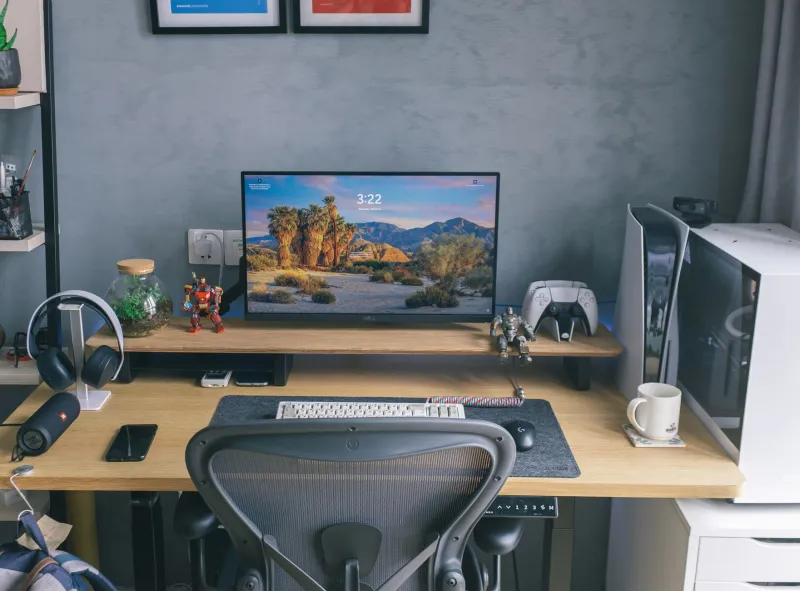
Desk height: With your chair set correctly, your elbows should naturally clear the desk surface with a slight bend. If you're reaching up to get your arms on the desk, it's too high. If you're hunching down, it's too low. A lot of standard desks in the US are built around 29–30 inches, which is actually too tall for many people sitting in properly adjusted chairs.
Monitor distance and height: The top of your monitor should sit at or just below eye level. Looking up strains your neck and pulls your posture forward. Looking too far down compresses your chest and affects your breathing — yes, that matters during high-stress ranked matches.
Armrest position: If your chair has adjustable armrests, set them so your forearms rest lightly when your hands are on the controller. They should support, not prop. If they're too high, your shoulders shrug. If they're too low, they're useless.
Foot support: If your feet don't comfortably reach the floor after adjusting your chair height, grab a footrest. It sounds minor. It isn't. Dangling feet shift your weight distribution and increase lower back strain over long sessions.
How Pros Think About This (And Why You Should Too)
Professional players who compete across multiple LAN events a year understand that their body is part of their equipment. Teams have sports performance consultants, physical therapists, and sometimes full ergonomics reviews of their practice setups. That's not overkill — it's competitive maintenance.
You don't need a full team to apply the same logic. What you need is to stop treating your desk and chair as afterthoughts and start treating them as part of your loadout.
The controller you're holding is only as effective as the platform you're holding it from. A $200 pro controller in a poorly configured station will underperform a $60 standard pad used by someone sitting properly every single time — at least when it comes to long-session consistency and fatigue management.
The Grip Starts Before Your Hands
At Game Gripper, we spend a lot of time talking about what's happening in your palms and fingers. But the truth is, grip is a full-body conversation. The tension in your shoulders, the angle of your elbows, the stability of your seat — all of it feeds into how your hands interact with your controller.
Before you drop another dollar on a new grip attachment or a replacement thumbstick, spend twenty minutes adjusting your station. Lower the desk if you can. Raise the chair. Move the monitor. Check your feet.
You might be surprised how much better your current controller feels once the rest of your body stops fighting against you.
That's the grip-to-ground connection. And once you feel it working right, you'll wonder how you ever played without it.