Your Controller Is Hurting You and You Don't Even Know It Yet

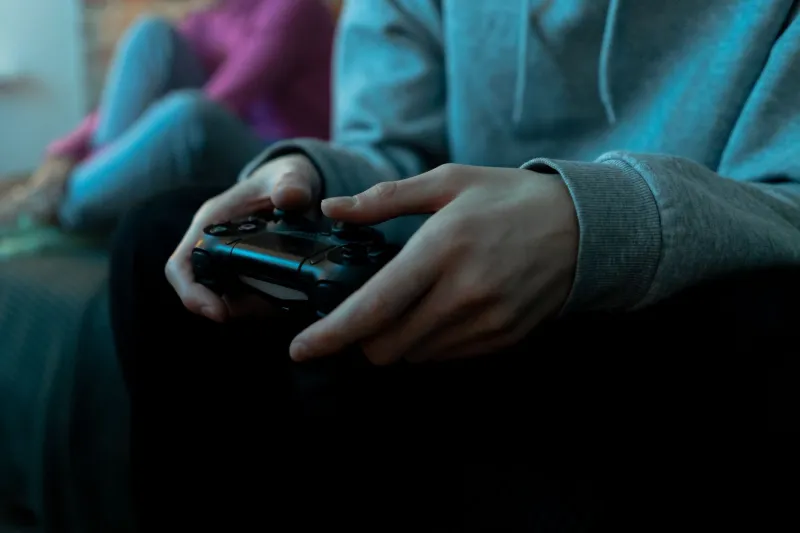
Photo by Photo by ELLA DON on Unsplash on Unsplash
Most gaming injuries don't announce themselves. There's no dramatic snap, no single moment where everything goes wrong. Instead, it's a slow build — a faint ache in the wrist after a long Saturday session, some stiffness in the fingers the morning after a tournament grind, a dull throb in the forearm that you keep meaning to look into but never quite do.
By the time it gets bad enough to actually interfere with your game, the damage has usually been accumulating for months.
This is the hidden cost of long gaming sessions, and it's something the industry doesn't talk about nearly enough. We're going to change that — and more importantly, we're going to tell you what you can actually do about it.
What's Happening Inside Your Hands
To understand gaming-related strain injuries, you need a quick anatomy refresher. The muscles that control your fingers and thumbs don't actually live in your fingers — they're mostly in your forearm, and they connect to your hand through a series of tendons that run through the wrist. The carpal tunnel is literally a narrow passageway in the wrist where several of these tendons, plus the median nerve, are bundled together.
When you hold a controller for an extended period, especially in a fixed grip position, those forearm muscles are under constant low-level tension. They're not resting. They're maintaining your grip, stabilizing your wrist, and executing thousands of small precise movements every hour. Over time, the tendons can become inflamed, the surrounding tissue can swell, and that swelling can put pressure on the median nerve — which is how you end up with the tingling, numbness, and weakness that characterize carpal tunnel syndrome.
Repetitive strain injuries (RSIs) follow a similar pattern. The tendons are essentially being asked to do the same small movements over and over without adequate recovery time, and they eventually protest.
The Grip Factor
Here's where controller grip design becomes a health issue, not just a performance issue. The way your hand wraps around a controller determines which muscles are bearing the load and how much tension they're under.
A grip that's too thin forces your fingers to curl more tightly, increasing forearm muscle activation. A grip that's too thick extends the fingers unnaturally, stressing the extensor tendons. A slippery grip causes you to squeeze harder than necessary, which amplifies tension all the way up the arm. And a grip that positions the wrist at an awkward angle — even slightly — compounds all of these effects over the course of a four-hour session.
The wrong grip isn't just uncomfortable. It's a slow injury waiting to happen.
Signs You're Already in Trouble
Some warning signs are obvious. But a lot of gamers dismiss the subtler ones until they've escalated into something harder to treat. Watch for:
- Tingling or numbness in the thumb, index finger, or middle finger — classic early-stage carpal tunnel signals
- Grip weakness that makes it harder to hold things after gaming
- Aching or stiffness in the wrists or forearms that lingers into the next day
- Trigger finger — a catching or locking sensation when you flex a finger, often caused by inflamed tendon sheaths
- Elbow pain radiating down the forearm, which can indicate lateral epicondylitis (gamer's elbow is a real thing)
If any of these sound familiar, it's worth taking seriously before they get worse. And yes, seeing a physical therapist or sports medicine doctor is a legitimate and worthwhile move — these professionals work with athletes dealing with exactly these kinds of repetitive use injuries.
What Ergonomic Gear Actually Helps
The good news is that the ergonomic gaming accessory market has matured significantly in recent years, and there are real solutions out there. Here's what to look for:
Grip Covers and Rubberized Wraps
Adding a quality grip cover to your controller is one of the easiest wins available. By increasing surface friction, a good grip cover reduces the amount of squeeze force your hand needs to apply to maintain a secure hold. Less squeeze force means less forearm tension, which means less cumulative strain. Look for covers made from textured silicone or thermoplastic rubber — materials that provide grip without requiring pressure.
Ergonomic Controller Designs
Some controllers are simply better engineered for long-term comfort than others. Controllers with deeper, more contoured grip sections — like the Xbox Elite Series 2 or the Scuf Instinct Pro — are designed to distribute hand pressure more evenly across the palm rather than concentrating it at a few contact points. This matters a lot during extended sessions.
If you're experiencing regular discomfort, it may be worth trying a controller designed with a different form factor entirely. Asymmetric layouts (like the Xbox-style offset thumbstick arrangement) position the left thumb in a more naturally relaxed posture for many players compared to symmetric layouts.
Wrist Supports and Braces
For players already dealing with early-stage strain, a light wrist support during gaming can help maintain a neutral wrist position and reduce the stress on the carpal tunnel. These aren't a permanent fix — they're a management tool while you address the underlying causes. Look for supports specifically designed for activity use rather than rigid immobilizing braces, which can create their own problems.
Thumbstick Toppers
This one surprises people. But thumbstick toppers that provide better thumb grip can meaningfully reduce the tension your thumb has to maintain during play. When your thumb slides around on a worn or slick thumbstick surface, it compensates by pressing down harder — and that tension travels right up through the hand and into the forearm.
Practical Maintenance Routines
Gear alone won't save you if your habits are working against you. These routines are simple, take minimal time, and make a genuine difference:
The 50/10 Rule: For every 50 minutes of gaming, take a 10-minute break. During that break, actually move your hands — don't just sit there scrolling your phone. Shake them out, stretch your fingers wide, rotate your wrists gently.
Pre-Session Warmup: Before jumping into ranked matches, spend two or three minutes doing gentle hand and wrist stretches. Extend your arm, pull your fingers back toward your body, hold for 15 seconds each side. It sounds like overkill until you realize athletes warm up before competition for exactly this reason.
Post-Session Cool Down: After a long session, a few minutes of gentle massage along the forearm — working from wrist toward elbow — helps flush out metabolic waste products that accumulate in fatigued muscles.
Strength and Flexibility Work: Grip strength exercises and finger extension exercises (rubber band resistance is cheap and effective) build the supporting musculature that protects your tendons. Fifteen minutes three times a week can make a noticeable difference over a few months.
The Bottom Line
Serious gaming puts real physical demands on your body. The players who last the longest — both in individual sessions and over the span of a career — are the ones who treat those demands with the same seriousness they bring to strategy and practice.
Investing in ergonomic gear isn't about going soft. It's about staying in the game. The right grip setup, paired with smart habits, keeps your hands healthy enough to actually perform at the level you're working toward.
Don't wait until the pain forces the issue. Get ahead of it now.